
DeskBuddy
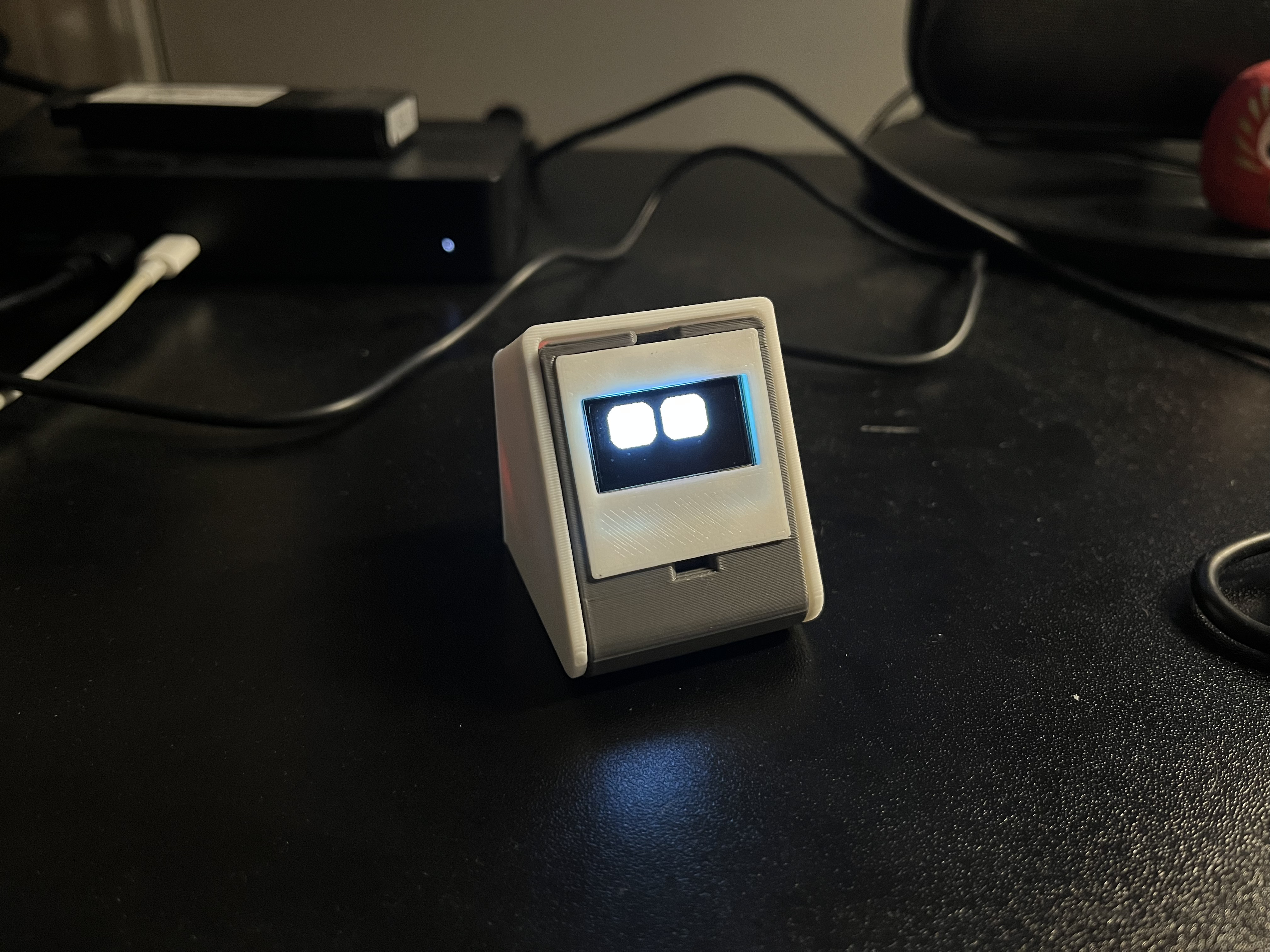
A lightweight ESP32 desktop companion with a cheerful OLED face, status screens, Wi-Fi provisioning, and a local web API.
ESP32 Desktop Companion
Embedded Systems & IoT Project
System Architecture & Overview
DeskBuddy is a compact desktop companion built around an ESP32-C3 and a 128×64 monochrome OLED. It combines a friendly RoboEyes animation system with useful status screens, Wi-Fi provisioning, weather and clock widgets, and a local web interface for controlling the device.
The project is split into modular firmware, a lightweight embedded Web UI, a JSON REST API, and a Python client for automation scripts, services, and webhooks.
Key Technical Contributions
Embedded Firmware & Display UI
-
Modular ESP32 Firmware: Built the primary device software for the ESP32-C3 Super Mini, with a compatibility profile for classic ESP32 boards.
-
OLED Interface: Integrated the SSD1306 display with a compiled monochrome UI toolkit, notification icons, temporary animation states, and an automatic RoboEyes animation playlist.
Connectivity & Device Provisioning
-
Wi-Fi Management: Implemented timeout-based network pairing, captive DNS setup mode, and private storage for up to three Wi-Fi networks using the ESP32's non-volatile storage.
-
Local Device Access: Added a minimal black-and-white Web UI and local REST API for monitoring status, changing configuration, triggering animations, and displaying notifications.
Status, Automation & Integrations
-
Clock & Weather Widgets: Added NTP-synchronized clock screens and current weather data powered by Open-Meteo, including temperature, conditions, wind, and precipitation information.
-
Python Client: Developed a
deskbuddy_clientabstraction so external scripts, services, and webhooks can interact with the device without manually constructing API requests.
Documentation & Reliability
-
Hardware Documentation: Documented the I²C wiring for both the ESP32-C3 and classic ESP32 profiles, including the SSD1306 display address and required Arduino dependencies.
-
Scheduled Runtime Loop: Structured the main loop to service HTTP and DNS requests, advance Wi-Fi and NTP state, perform weather updates, expire temporary state, and refresh the OLED approximately every 83 ms.